
高仿蜜雪冰城小程序前后端源码及部署教程
(一)系统介绍
1.1 系统介绍
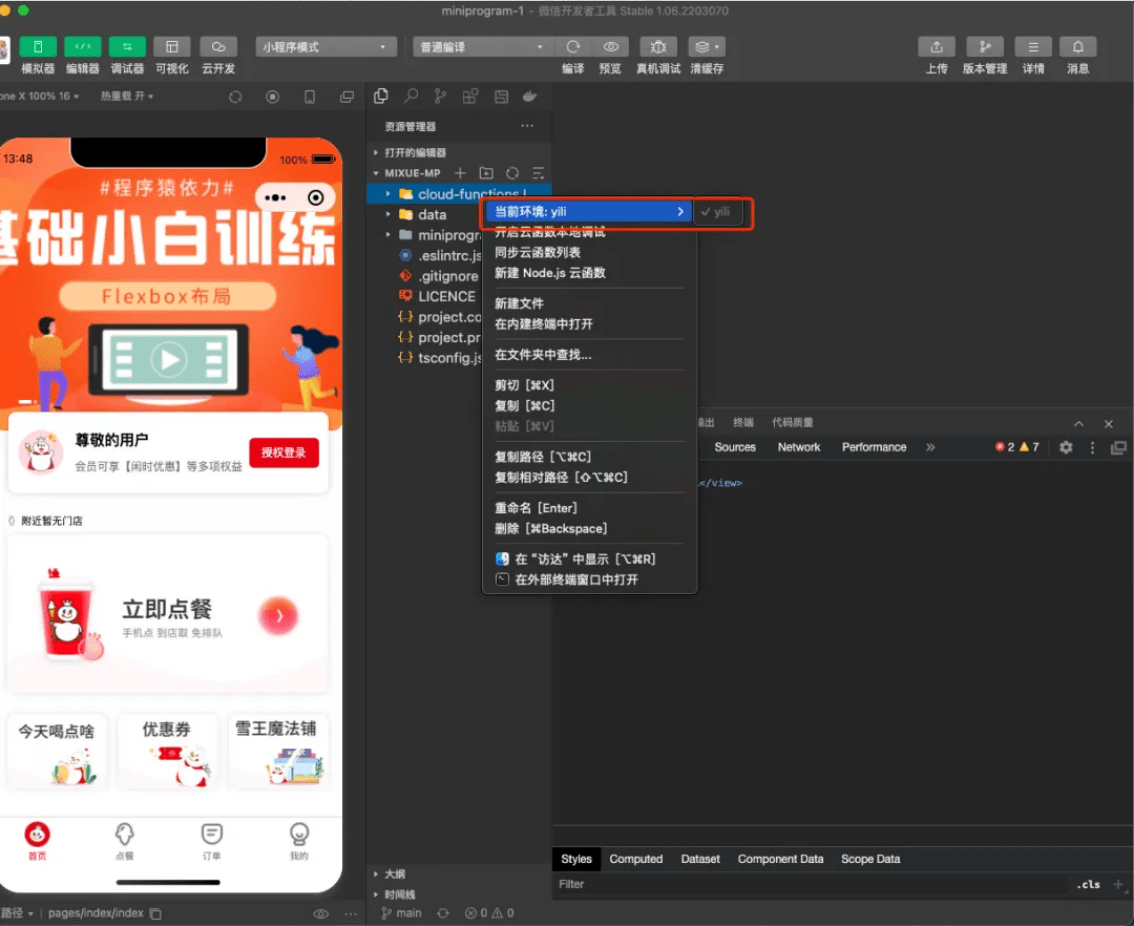
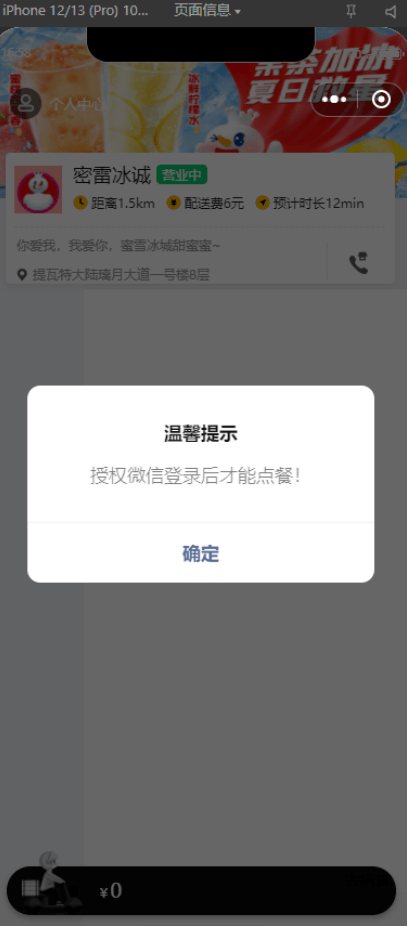
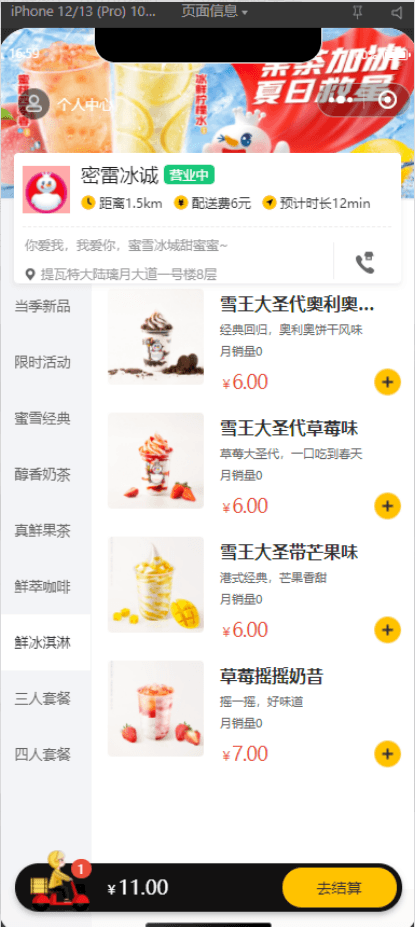
高仿蜜雪冰城小程序(含源码)
本系统选择微信小程序原生开发 + 云CMS技术,运用了微信云集合数据库为后台数据库,将用户分为管理员、用户两大类,系统实现了首页、该系统采用云开发技术和小程序开发,结合vue框架使页面更加完善,后台使用云数据库进行数据存储。首先,要掌握有关系统的基本理论,如 小程序开发技术、 云数据库等,并对其进行全面的分析。为了给系统打下坚实的技术基础,本系统采用了云数据库的架构,在开始这项工作前,首先要设计好要用到的数据库表。
主要功能:
管理系统功能涵盖预定管理、订单管理、收银管理、会员管理、客户管理、财务管理、系统设置、日志管理、管理员管理等。
– 购物车功能集成
5.2 商品模块
– 商品信息展示
– 多规格选择
– 购物车数量管理
– 商品评价展示
5.3 购物车模块
– 购物车商品列表
– 商品数量增减
– 购物车清空功能
– 总价计算
5.4 订单模块
– 订单确认页面
– 历史订单查询
– 订单状态管理
– 订单详情展示
5.5 地址模块
– 地址列表展示
– 地址选择功能
– 新增/编辑地址表单
– 省市区三级联动选择
开发环境及开发工具
Uni-app | 跨平台框架
2.2后端技术框架
蜜雪冰城后台服务是基于Spring Boot开发的微信小程序后端服务,提供菜品管理、订单管理、用户管理、微信支付等核心功能,支持小程序前端和管理后台的业务需求。
2.3程序部署和配置
前端部分:
## 仿蜜雪冰城小程序奶茶点单系统
参考苍穹外卖,跳过微信支付(无商家微信),解决员工端删除单个菜品时的异常问题
技术栈: `SpringBoot` `MyBatis` `Redis` `MySQL` `Nginx` `SpringCache` `SpringTask` `WebSocket` `Vue` `Maven` `Uni-app`
### 后端部署
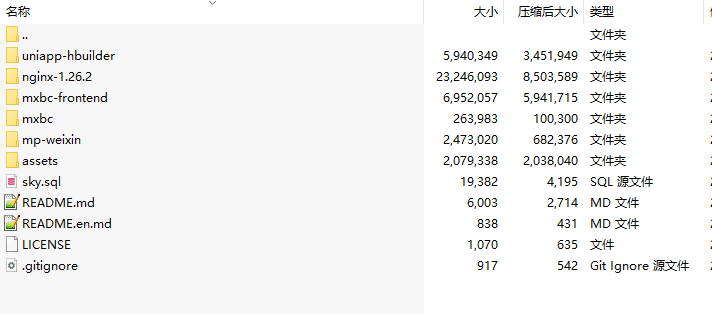
1.运行`sky.sql`脚本
2.在idea打开`mxbc`文件夹
3.在`sky-server/src/main/resources/application-dev.yml`中修改数据库等配置信息
### 前端Vue快速启动
在`nginx-1.26.2`文件夹下双击`nginx.exe`
访问http://localhost:82即可
### 前端部署
1.在idea打开`mxbc-frontend`文件夹
2.安装yarn(如果没有)
“`shell
npm install yarn -g
“`
3.切换淘宝镜像源
“`shell
yarn config set registry https://registry.npmmirror.com
“`
4.禁用SSL证书验证
“`shell
yarn config set strict-ssl false
“`
5.增加yarn超时时间
“`shell
yarn config set network-timeout 600000
“`
6.安装依赖
“`shell
yarn install
“`
7.修改配置
.env.development开发环境
“`js
# Base api
VUE_APP_BASE_API = ‘/api’
# vue-cli uses the VUE_CLI_BABEL_TRANSPILE_MODULES environment variable,
# to control whether the babel-plugin-dynamic-import-node plugin is enabled.
# It only does one thing by converting all import() to require().
# This configuration can significantly increase the speed of hot updates,
# when you have a large number of pages.
# Detail: https://github.com/vuejs/vue-cli/blob/dev/packages/@vue/babel-preset-app/index.js
NODE_ENV = ‘development’
VUE_APP_NODE_ENV = ‘dev’
//后端服务的地址
VUE_APP_URL = ‘http://localhost:8080/admin’
VUE_APP_SOCKET_URL = ‘ws://localhost:8080/ws/’
VUE_CLI_BABEL_TRANSPILE_MODULES = true
# 删除权限 true/有
VUE_APP_DELETE_PERMISSIONS = true
“`
8.运行
“`shell
yarn serve
“`
### 微信小程序快速启动
1.下载微信开发者工具
2.获取个人小程序Appid
3.将mp-weixin导入微信开发者工具,填写自己的Appid
4.设置->安全->开放端口
5.在common/vendor.js中配置baseUrl
6.若想真机调试,在微信小程序平台配置合法域名
### 小程序项目部署
1.在HBuilder X导入uniapp-hbuilder
2.在manifest.json配置微信小程序Appid
3.在工具->设置->运行配置->微信开发者工具路径中,选择具体的安装路径
4.运行到微信小程序
### Nginx配置
nginx.conf
“`js
#user nobody;
worker_processes 1;
#error_log logs/error.log;
#error_log logs/error.log notice;
#error_log logs/error.log info;
#pid logs/nginx.pid;
events {
worker_connections 1024;
}
http {
include mime.types;
default_type application/octet-stream;
#log_format main ‘$remote_addr – $remote_user [$time_local] “$request” ‘
# ‘$status $body_bytes_sent “$http_referer” ‘
# ‘”$http_user_agent” “$http_x_forwarded_for”‘;
#access_log logs/access.log main;
sendfile on;
#tcp_nopush on;
#keepalive_timeout 0;
keepalive_timeout 65;
#gzip on;
map $http_upgrade $connection_upgrade{
default upgrade;
” close;
}
upstream webservers{
server 127.0.0.1:8080 weight=90 ;
#server 127.0.0.1:8088 weight=10 ;
}
server {
listen 82;
server_name localhost;
#charset koi8-r;
#access_log logs/host.access.log main;
location / {
root html;
index index.html index.htm;
# proxy_pass http://127.0.0.1:5173/;
}
location ^~ /api/ {
proxy_pass http://localhost:8080/admin/;
}
# 反向代理,处理用户端发送的请求
location /user/ {
proxy_pass http://localhost:8080/user/;
}
# WebSocket
location /ws/ {
proxy_pass http://localhost:8080/ws/;
proxy_http_version 1.1;
proxy_read_timeout 3600s;
proxy_set_header Upgrade $http_upgrade;
proxy_set_header Connection “$connection_upgrade”;
}
#error_page 404 /404.html;
# redirect server error pages to the static page /50x.html
#
error_page 500 502 503 504 /50x.html;
location = /50x.html {
root html;
}
# proxy the PHP scripts to Apache listening on 127.0.0.1:80
#
#location ~ .php$ {
# proxy_pass http://127.0.0.1;
#}
# pass the PHP scripts to FastCGI server listening on 127.0.0.1:9000
#
#location ~ .php$ {
# root html;
# fastcgi_pass 127.0.0.1:9000;
# fastcgi_index index.php;
# fastcgi_param SCRIPT_FILENAME /scripts$fastcgi_script_name;
# include fastcgi_params;
#}
# deny access to .htaccess files, if Apache’s document root
# concurs with nginx’s one
#
#location ~ /.ht {
# deny all;
#}
}
# another virtual host using mix of IP-, name-, and port-based configuration
#
#server {
# listen 8000;
# listen somename:8080;
# server_name somename alias another.alias;
# location / {
# root html;
# index index.html index.htm;
# }
#}
# HTTPS server
#
#server {
# listen 443 ssl;
# server_name localhost;
# ssl_certificate cert.pem;
# ssl_certificate_key cert.key;
# ssl_session_cache shared:SSL:1m;
# ssl_session_timeout 5m;
# ssl_ciphers HIGH:!aNULL:!MD5;
# ssl_prefer_server_ciphers on;
# location / {
# root html;
# index index.html index.htm;
# }
#}
}
“`
1. 本站所有资源来源于用户上传和网络,如有侵权请邮件联系站长!
2. 分享目的仅供大家学习和交流,您必须在下载后24小时内删除!
3. 不得使用于非法商业用途,不得违反国家法律。否则后果自负!
4. 本站提供的源码、模板、插件等等其他资源,都不包含技术服务请大家谅解!
5. 如有链接无法下载、失效或广告,请联系管理员处理!
6. 本站资源售价只是赞助,收取费用仅维持本站的日常运营所需!
7. 如遇到加密压缩包,请使用WINRAR解压,如遇到无法解压的请联系管理员!
8. 精力有限,不少源码未能详细测试(解密),不能分辨部分源码是病毒还是误报,所以没有进行任何修改,大家使用前请进行甄别
TP源码网 » 五国语言收益理财BTC虚拟币质押定期存币系统源码_加密货币机器人量化交易系统_内附搭建教程
4爷资源网 » 高仿蜜雪冰城小程序前后端源码及部署教程
4爷资源网 » 高仿蜜雪冰城小程序前后端源码及部署教程